PartyQueue is the live song-request platform for DJs, event managers and party hosts.
Pre-load playlists, share a QR, and watch a ranked, catalog-matched queue update in real time.
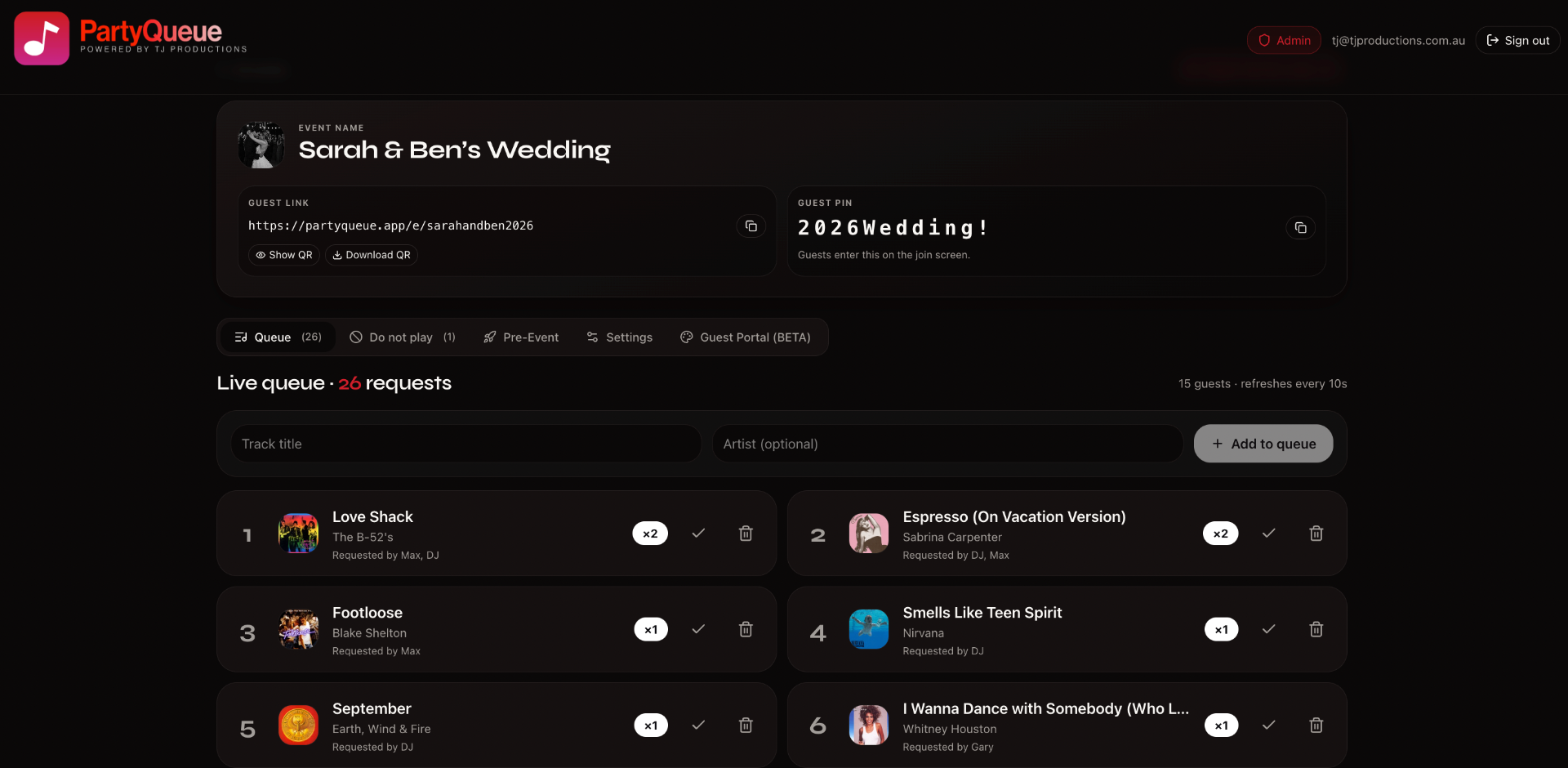
Spin up an event in seconds — name it, pick a memorable guest link and PIN, set schedule windows and per-guest request caps, then drop in your logo and brand colours. Show or hide the queue, lock down a do-not-play list, and on Pro plans theme the whole guest portal so it lands as your brand, not ours.
STEP 02
Guest portal request form
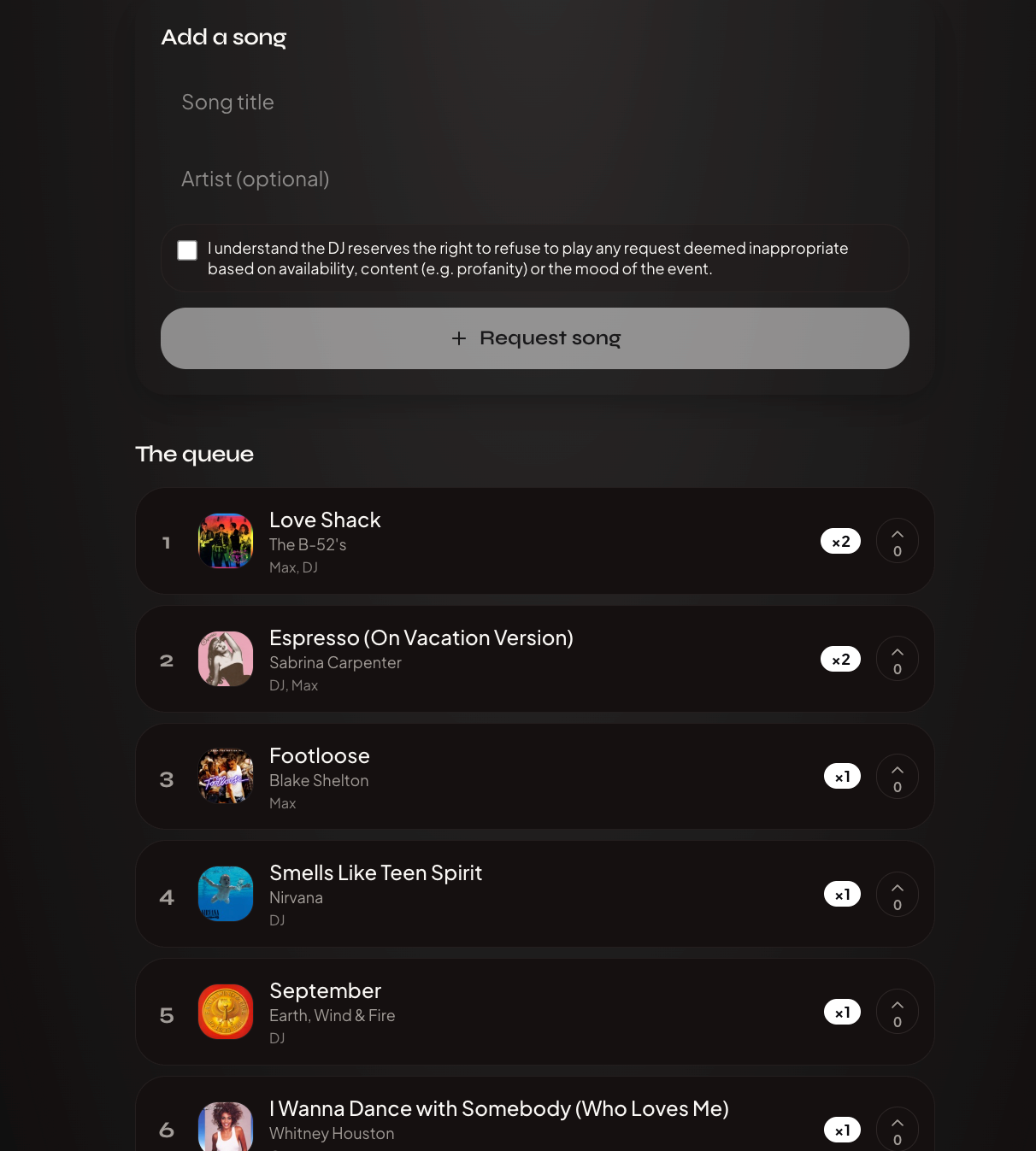
Guests scan the QR or open the short link, enter the PIN once, and land on a clean request screen — title, optional artist, a quick acknowledgement that the DJ has the final call, then tap Request song. They see the live queue with album art, ranked by popularity, and watch their request stack with everyone else's in real time. No app install, no signup, no email collection.
STEP 03
Smart track matching
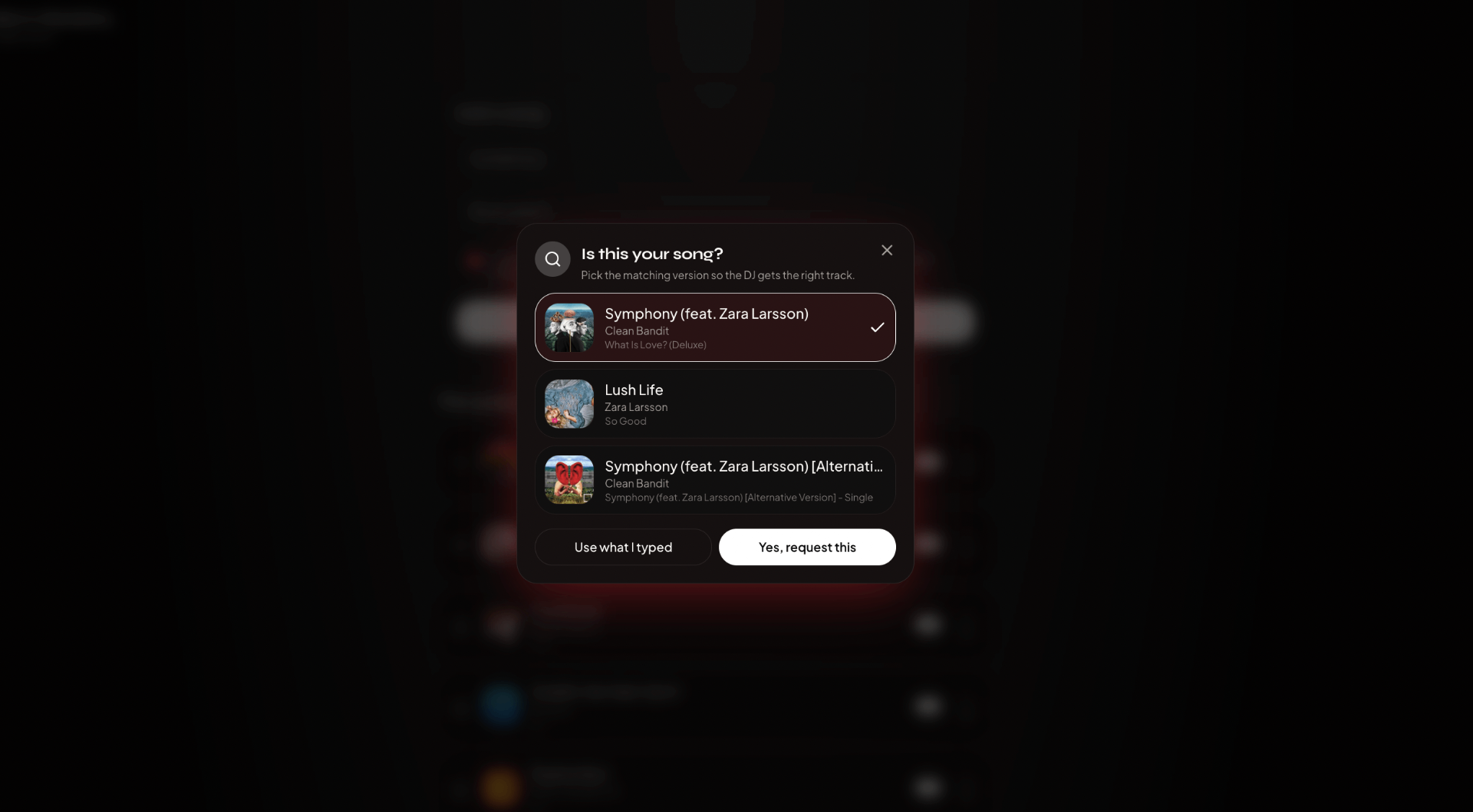
As soon as a guest submits a request, PartyQueue checks it against Spotify and uses Deezer as a fallback. Guests choose the real version they meant — live, acoustic or single edit — with the correct album artwork, so the DJ is not left guessing. Nothing needs to be connected, nothing streams and nothing touches the DJ rig.
STEP 04
Pre-event bulk tools
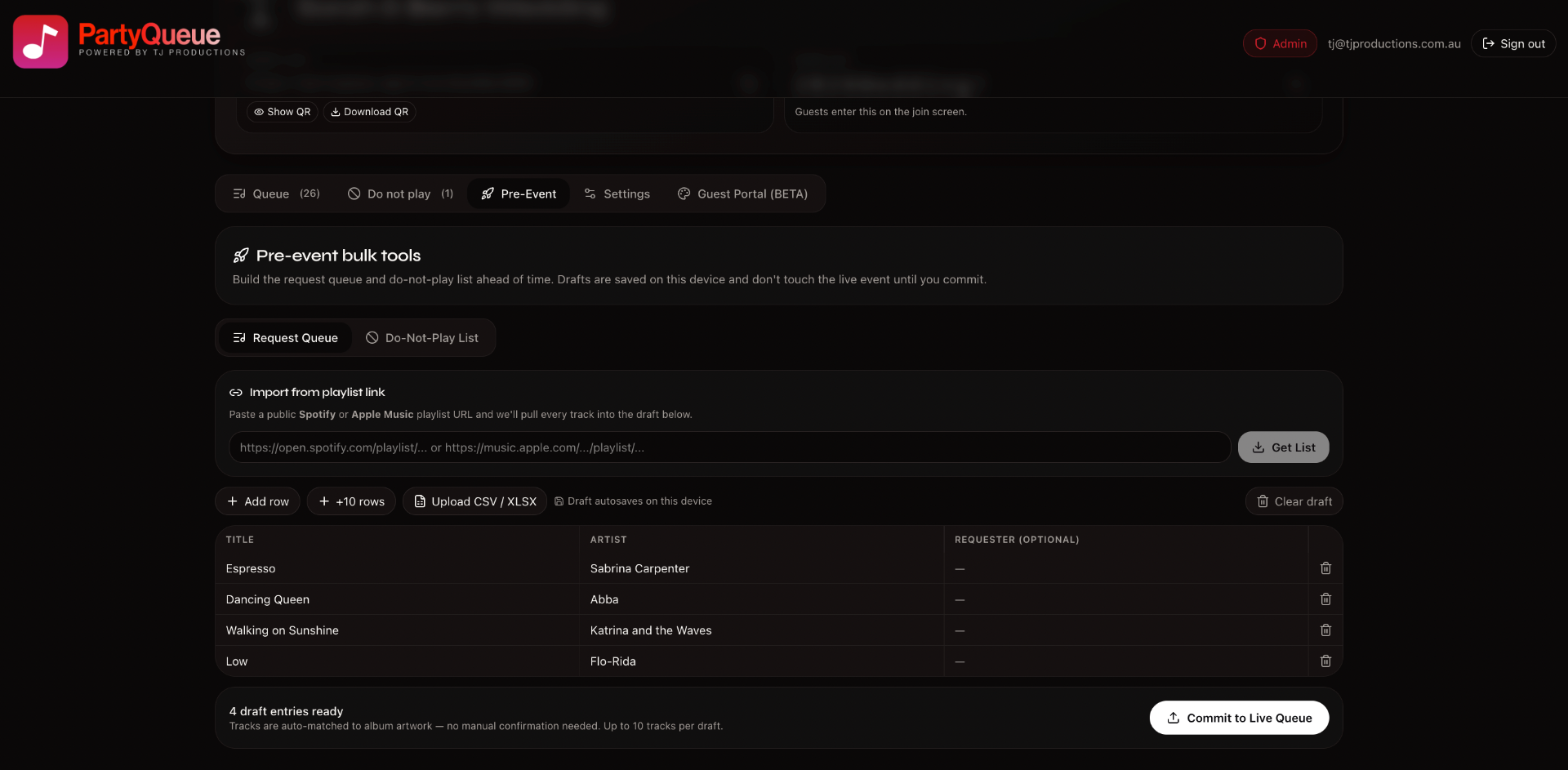
Build the request queue and do-not-play list days before doors open. Paste a public Spotify or Apple Music playlist URL, hit Get List, and every track flows into a local draft — auto-matched to album artwork. Add rows by hand, paste CSV/XLSX from a planning doc, or skip the lot. Drafts stay on your device until you Commit to the Live Queue, so nothing leaks to guests early.
What's in the platform.
Every plan ships with the same core toolkit. Pro and white-label plans add branding, multiple DJs, and recurring events.
Zero-friction guest flow
Works on any phone browser. No accounts, no install, no friction at the door.
Real popularity ranking
Repeat requests stack into one ranked card so you know what the room actually wants.
Playlist link import
Paste a public Spotify or Apple Music playlist into the Pre-Event tab and pull every track into your draft in one click.
Do-not-play protection
Block tracks or artists ahead of time. Guests can still see the queue — they just can't sneak the banned ones in.
DJ stays in control
Block tracks, hide requesters, cap requests per guest, or pause the queue any time.
Brand it as your own
Custom colours, logo and event copy on DJ Pro, Enterprise DJ and Venue plans.
Built for the whole team
From a solo DJ to an enterprise multi-op agency managing dozens of events a month across multiple seats.
Print-ready QR + share links
Every event gets a QR poster and a short link you can drop into booking emails.
Catalog-matched artwork
Every request is automatically checked against Spotify, with Deezer as a fallback, so the queue shows real tracks, the correct version and genuine album artwork.
How we're different
We're not a streaming platform. We just hand the DJ the requests.
Most "request apps" try to be a jukebox — they wire into streaming services and play tracks straight to the speakers. That is not what PartyQueue does, and that is the point. PartyQueue automatically checks requests against Spotify, using Deezer as a fallback, only to verify song titles, artists and album artwork. This keeps obscure or mistyped requests out and helps guests choose a real track. Nothing plays from a streaming service and DJs connect nothing. They keep using their own library, rig and workflow.
Your library, your rules
Play from Rekordbox, Serato, Traktor, Engine DJ, USBs, CDJs, vinyl — whatever you
already use. Nothing about your setup changes.
No streaming, ever
Nothing plays from Spotify, Deezer, Apple Music or anywhere else. PartyQueue only checks the catalog to validate requests. DJs and guests do not connect any streaming account.
Catalog lookup only
PartyQueue checks requests against Spotify automatically and uses Deezer as a fallback. Titles, artists and album artwork are matched so the queue stays accurate and the DJ sees exactly what the guest meant.
Requests are delivered live to the DJ — that's it. The DJ decides what plays,
when it plays, and how it sounds. PartyQueue is the request channel, not the
jukebox.
Who it's built for.
Weddings & receptions
Share the request link on the invitations so guests suggest tracks in the weeks before the day. The couple triages what comes in through their own portal, blocks the no-fly tracks, and the DJ walks in with a set already shaped by the room.
Corporate & brand events
Brand the request page, cap the song list, pre-commit a vetted playlist, and keep the night on-message.
Bars, clubs & residencies
A live remote for the room — read the crowd in real time, with every request landing in one clean, ranked queue.
Touring & company DJs
White-label the whole experience under your brand, with multiple DJs and events under one account.
Ready to run your next event?
Spin up a DJ account in under a minute and pick the subscription that fits your business.